Adwest Steering records its inspections on iPads
Adwest Steering has run its inspections on TraceID Verified since December 2025. Inspectors record each unit at the bench, and every report ends as a branded PDF.
Context
Adwest Steering reconditions steering boxes. Each unit is inspected on arrival, tested, stripped down and checked part by part, then inspected and tested again before it leaves. Every unit needs a report that shows what was found and what was decided.
The inspectors work at the bench, not at a desk. So the record is captured where the work happens: on an iPad, with photographs taken on the same device, and with every answer saved automatically.
What was built
The shop's inspection runs on Verified, the inspection half of TraceID Hub. It went live in December 2025 and has been revised as the shop's needs became clear: the inspection schema is now on version 8. A report started on one version finishes on that version, so changing the form never disturbs work in progress.
Two forms, generated from that version 8 schema as a shared base, are being reviewed before they go live. Common checks are written once and stay identical in both.
Each inspection is guided, step by step. A section cannot be left until its mandatory fields are complete, and the server enforces the same rule at submit. Verified pins identifiers such as the serial number and VRN to every step, so the inspector always knows which box they are recording. Drafts can be paused and resumed.
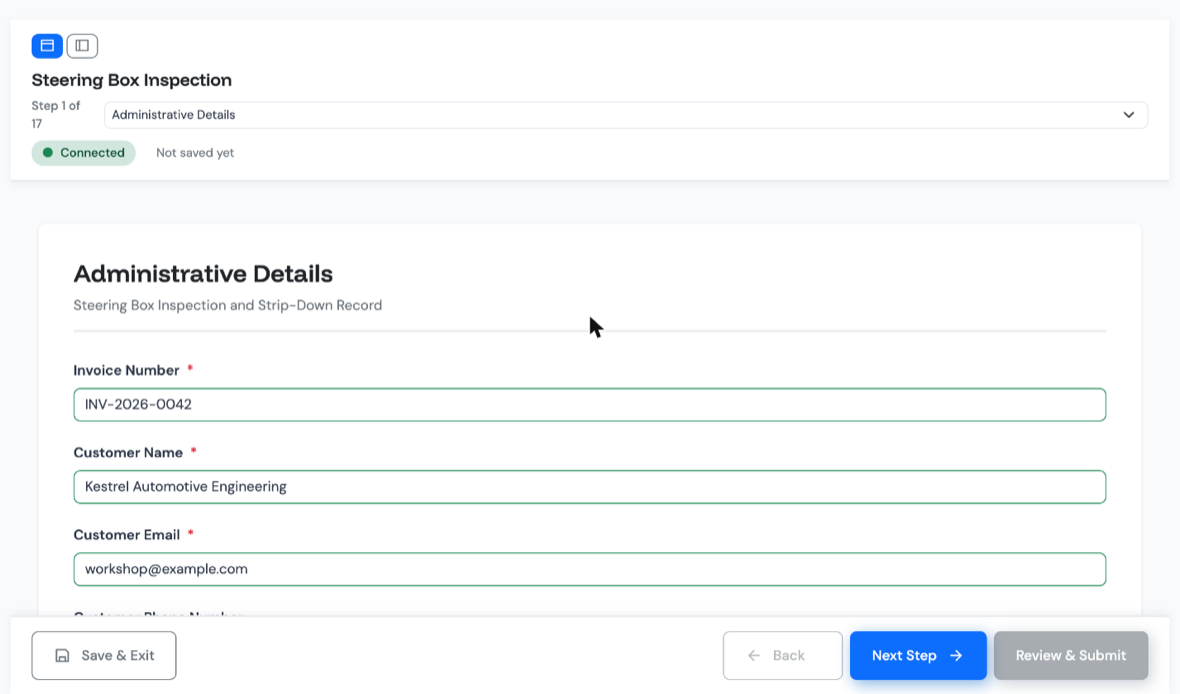
The two forms now in review add rules that do the arithmetic. For the trim test the inspector enters two readings, left and right. The form calculates the difference and checks it against a 6 lbs tolerance. If the valve is out of trim, the form sets its status to Red with the reason already selected, and the inspector cannot change the forced value.
Parts carry a Red, Amber or Green status, and the report's overall status is the worst one present. In those forms, a Red status cannot be submitted without a reason, chosen from a list written for that part, and a photo of the failed part. Their final inspection checklist includes reference photos of what correct looks like.
What changed
Every unit produces the same record, in the same order, with the same checks, under its own automatic job reference. Where a rule is set, the outcome is decided by the rule, not by whoever is holding the iPad.
A finished report becomes a branded PDF with the shop's logo, embedded photos and the unit's identifiers repeated as a running header on every page. It can be emailed from the app, and each send is logged.
If a signed-off report needs correcting, it is revised rather than overwritten. The edit happens on a working copy, committing it needs a reason, and the field-level difference is recorded. Every earlier revision can still be produced as its own PDF, and anyone who was sent an outdated copy is flagged. Reports are archived with a reason, never deleted. The shop can show its customer what happened to each unit, not just say it.
Every steering box we recondition now leaves with a report our customer can audit. It took a few weeks to set up and no IT project.
Put your inspection on an iPad
Bring one inspection you run today. We will show you how it works as a guided form, with rules, photos and a PDF report.