A record and a QR code for every part
Traced gives each product one record, with its documents, batches and passport, and gives each serialised part or batch a QR code that opens it. Anyone can scan it. Your staff see more.
How it works
Add a product
Add the product with its image, certificates and manuals. We can set up your catalogue with you.
Print the QR
Each serialised part or batch gets a trace ID and a QR code. Print it on a label, a tag or the paperwork that travels with the part.
Scan anywhere
Any phone camera opens the product's page, with no app to install. Every scan is logged.
One record per product
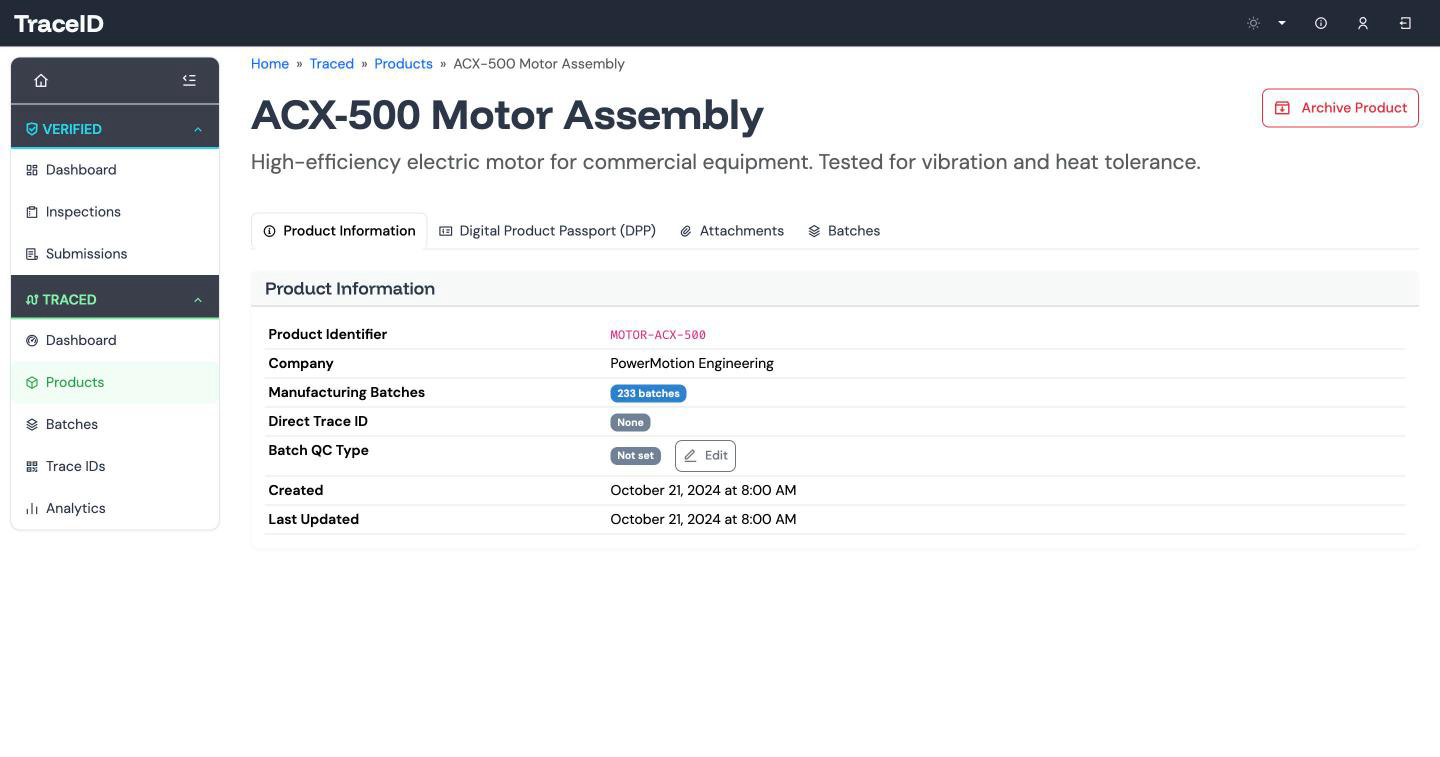
Each product in the catalogue holds its image, its documents and a default QC type for its batches. Certificates, manuals and images are attached to the record and shared through short-lived links, so files are never left sitting on an open URL.
Archiving a product carries through to the records beneath it, so nothing is left orphaned.
The Traced dashboard shows your products and batches, which products are still missing a passport, and a six-month trend of batch passes and fails.
Batches and quality checks
Record each manufacturing batch with its operator, start and end times and a PASS or FAIL result. Detailed QC results are stored with the batch as structured data, for example a set of CMM metrology readings.
You define the QC types that fit your processes, and each product can set the one its batches use by default.
| Batch | B-1182 |
|---|---|
| Started | 2026-04-14 07:30 |
| Ended | 2026-04-14 15:10 |
| QC type | CMM |
| Result | PASS |
{
  "bore_diameter_mm": 42.01,
  "face_flatness_mm": 0.03,
  "thread_depth_mm": 18.2
}
Example values.
Trace IDs and QR codes
Every serialised product or batch gets a 16-character trace ID, such as 3f9a2c71b04e8d56, and a QR code rendered from it.
Serialise a part when each one needs its own record, such as a high-value forging or an assembly that will be overhauled. Give the whole batch one trace ID when that is the level your customer asks for, as it usually is for castings and machined parts made in volume. Either way, the code opens the same product record, so the paperwork is the same wherever the part ends up.
QR today, NFC-ready. Every trace ID is a QR code today. The record is built to carry an NFC tag as well. NFC tags: coming
What the public sees and what staff see
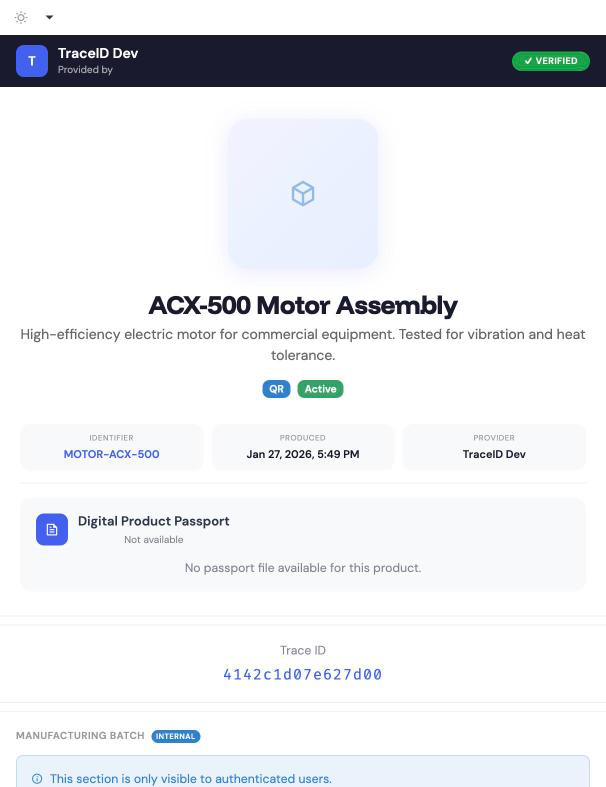
Scan the QR code and a mobile-first page opens: your brand bar with a VERIFIED badge, the product, its passport in a readable viewer, and its documents, which can be viewed or emailed through short-lived links. A goods-in inspector who scans the label can have the certificate sent to their inbox.
Sign in as a member of staff and the same scan shows more: the internal batch block, which the public never sees. One QR code serves your customer and your own team.
The same URL, as data
The same scan URL answers in JSON for scripts. Request it from curl, Python or Postman, or add ?format=json to the address, and you get the record as data rather than a page.
Scan analytics
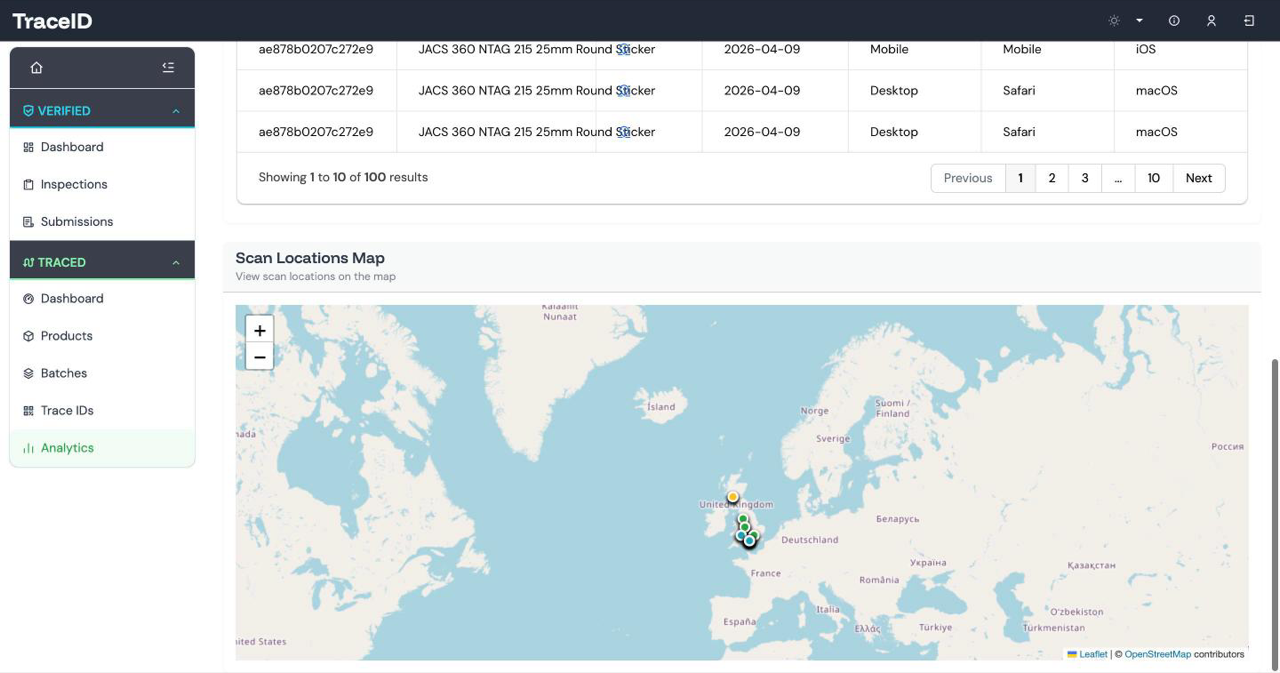
Every scan is logged with its time, country, region and city, device, browser, operating system and referrer. If the person scanning agrees, their browser can share a precise location too.
See scans plotted on a map, and see the numbers for each trace ID, so you know where your parts are being looked at and how often.
Digital Product Passports for metal components
The EU's Ecodesign regulation is bringing in Digital Product Passports one product group at a time, and iron, steel and aluminium are among the first. A passport can be kept at model, batch or item level, and the delegated act for each product group decides which. We expect a casting or machined part to be batch-level, but no act has been adopted yet.
What Traced holds today
- Product record: the model-level information, with its image, certificates and manuals.
- Batch: the operator, start and end times, PASS or FAIL result and detailed QC data, recorded beneath the product.
- Passport: the passport data itself, held against the product.
- Trace ID and QR code: the data carrier that links the physical part or batch to its record.
- Scan page: the public view of the passport, with the same record available as JSON.
In Traced, a passport is any JSON the customer uploads, versioned, with a SHA-256 checksum, previous versions kept. Traced does not yet check a passport's fields against the regulation, because the rules for iron, steel and aluminium are still being finalised. We will adopt the iron and steel and aluminium delegated-act schemas as they are published.
Who it is for
Traced is for manufacturers whose paperwork needs to travel with the part: casting, forging, machining and fabrication firms preparing for the passport, and any shop whose customers ask for certificates by part or by batch.
It works alongside Verified, which records the inspection and produces the report.
Put a QR code on a part you make
Bring one product and its paperwork. We will show you its record, its QR code and the page your customer sees when they scan it.