Strip-down inspection, recorded part by part
Remanufacturers and overhaul shops inspect every unit when it arrives, part by part once it is stripped, and again before it leaves. TraceID Verified puts that inspection on an iPad at the bench and turns it into a PDF report your customer reviews and signs off.
Strip-down inspection on the iPad
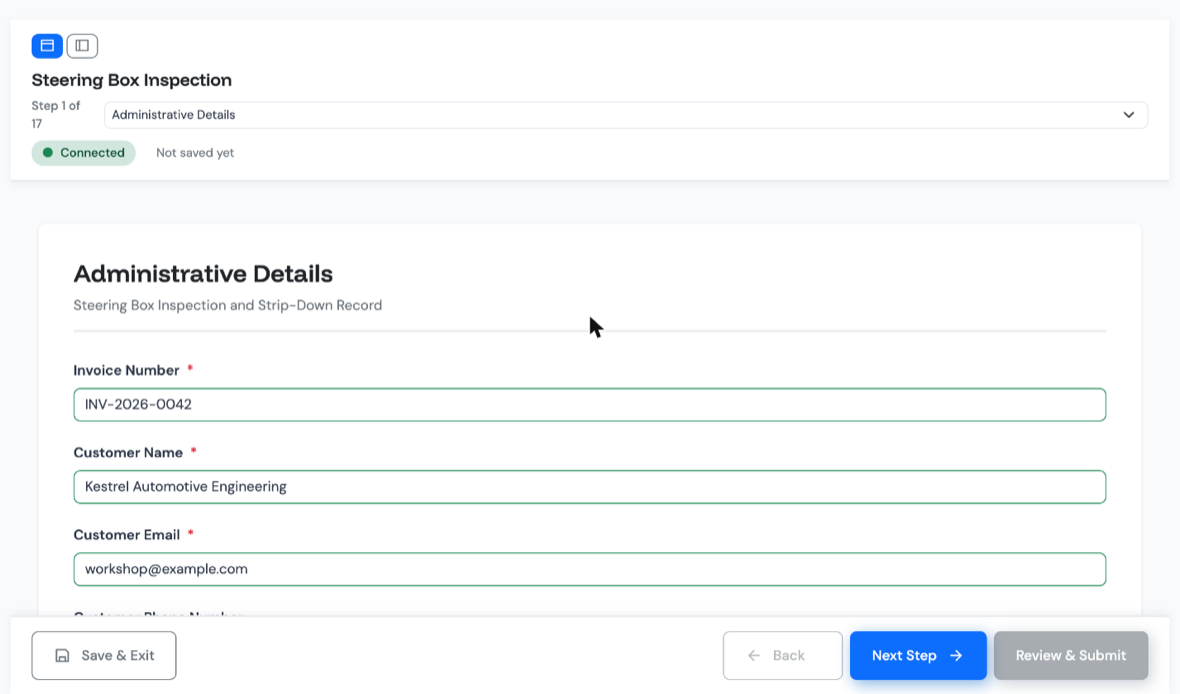
A unit arrives, is tested, stripped and checked part by part, then rebuilt and tested again. Verified follows the same order: each stage is a step in the form, one section at a time, on an iPad beside the unit.
The serial number, and any other identifier you choose, is pinned to the top of every step, so the inspector always knows which unit they are recording. Each step can carry instruction text and reference photos of what correct looks like.
Inspectors photograph worn and failed parts on the same device. A photo field can require a minimum number of photos, mandatory fields block progress, and every answer saves as it goes, so a dropped workshop connection does not lose the work.
Red, Amber, Green for every part
Each part gets a Red, Amber or Green status, set by the inspector or by a rule. The report takes the worst status present: one Red part makes a Red report, and nobody has to remember to downgrade it.
Rules do the arithmetic. On a steering-box trim test the inspector enters two lock readings, the form calculates the difference and checks it against a 6 lbs tolerance, and an out-of-trim valve is set to Red with the reason already selected. A rule can also make further fields required whenever a part is Red, such as a reason and a photo of the failed part.
Back in the office, the submissions list filters by form, date, status and RAG colour, and search looks inside the answers, so a unit's report can be found from its serial number.
Donor parts. Donor-part tracking: coming
| Input shaft bearing | GREEN |
|---|---|
| Sector shaft | GREEN |
| Housing bore | AMBER |
| Trim test | RED |
| Overall report status | RED |
Example values.
Customer sign-off
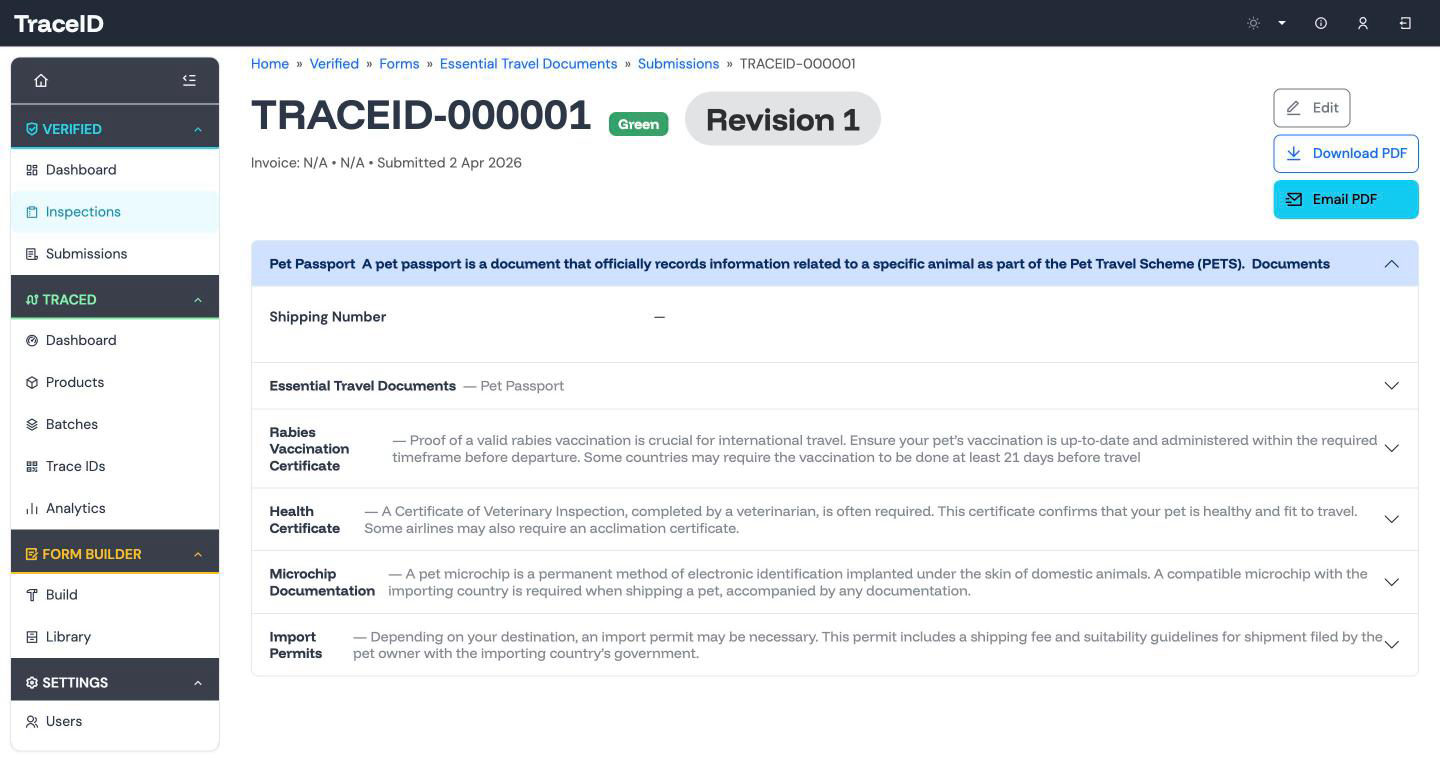
When the inspection is complete, the report becomes a branded PDF: your logo, the photos from the bench, every part's status, and the unit's identifiers as a running header on every page. Email it to your customer from the app, and they review and sign off from the PDF. Every send is logged, so you can show who was sent which report and when.
If the customer queries a result and a signed-off report needs correcting, it is revised, not overwritten. The change is made on a working copy and needs a recorded reason, and Verified keeps the field-level difference. Every revision can be produced as its own PDF, and anyone holding an earlier copy is flagged as out of date.
Reports are archived with a reason rather than deleted, and every unit's report has an automatic job reference, so the history of each unit stays complete.
One inspection, more than one customer
Many shops strip and rebuild the same unit for customers who want different paperwork. In Verified a form can be cloned to start a variant, so you begin from the checks you already have and change only the differences.
We set up your first form with you from the inspection sheet you use today. When you want to change it yourselves, the Form Builder has 15 field types, instruction text and reference images, and a Logic panel for rules and tolerance checks.
Forms are versioned. When you change one, reports already in progress finish on the version they started, so the form can improve without disturbing work on the bench.
A shop doing this today
A UK steering-box reconditioning shop has run its strip-down inspections on Verified since December 2025. It records each unit at the bench on an iPad, and is reviewing two new variants of its inspection form before they go live. The trim-test example above comes from those forms.
Put your strip-down inspection on an iPad
Bring the inspection sheet you use today. We will show it to you as a guided form with a status for every part, photos and a PDF report.